Screen recording made simple.
Easily capture your desktop screen without the editing headaches.
Everything you need to record
Powerful capture options without the learning curve.
Screens shown are for marketing purposes only. Actual app behavior may differ.
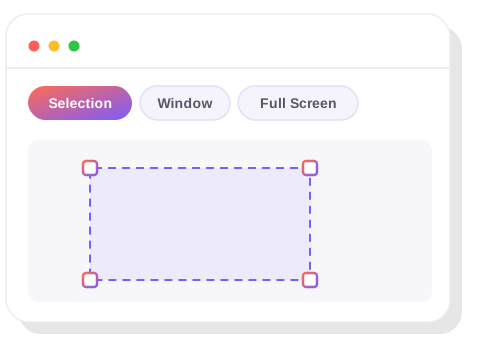
Record exactly what you need
Users can choose whether to record a custom selection, a window of their choice, or the whole screen.
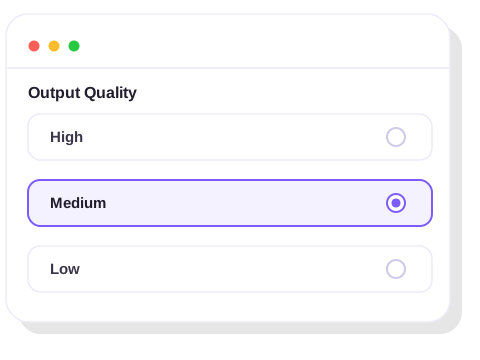
Quality settings that fit the moment
Users can choose their output quality settings, from quick and lightweight to crisp, presentation-ready video.
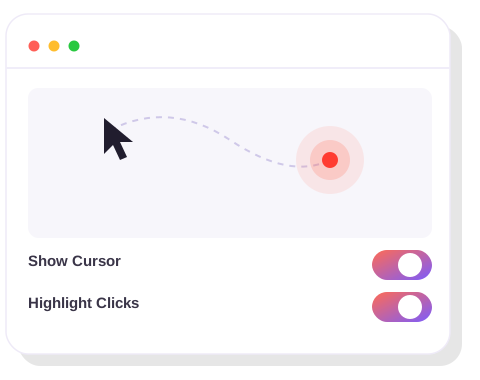
Cursor and click highlighting
Users have the option to include the cursor in the recording, and can choose to highlight clicks so nothing gets missed.
Simple, transparent pricing
Try every feature free for 7 days. Then pay once, no subscription.
Free Trial
Free/7 days
- ✓Unlimited recordings
- ✓Recording quality settings
- ✓Unlimited recording length
- ✓Cursor & click highlighting
- ✓Include system audio
- ✓Global hotkey customization
- ✓No watermark
Full Access
$29.99 one-time
- ✓Unlimited recordings
- ✓Recording quality settings
- ✓Unlimited recording length
- ✓Cursor & click highlighting
- ✓Include system audio
- ✓Global hotkey customization
- ✓No watermark